KOKODE. Private AI. Right here.
AI for the work
you can’t send out.
KOKODE installs AI that runs inside your organization, from the equipment to the setup.
Everyday use needs no internet connection.
Introduction
The challenge: sensitive data
The work you want AI to do
holds data that cannot leave.
Japan’s Personal Information Protection Committee also urges caution when entering personal information into generative AI services.
If nothing changes
The most sensitive work
stays without AI.
Either it stays manual, or it drifts into outside services before any rules are in place.
KOKODE
AI that runs inside,
for your organization.
※Configured not to send sensitive data to external LLMs during normal operation
Where data goes
Sensitive data goes
to AI inside.
※Configured not to send sensitive data to external LLMs during normal operation
- Sensitive data
- Cloud AI
- Concerns / limits
- Sensitive data
- KOKODE
- AI inside
How to use it
Open your browser.
Work as usual.
Ask through chat, as with ChatGPT.
Summarize the telework application steps in three points from our internal policy
Connection boundary
AI for your internal
network only.
Only signed-in devices on an authorized internal network can use KOKODE.
- PC
- Tablet
Example: contracts
Summarize a contract
inside.
Pull out the term, renewal and termination conditions and draft the key points for your staff to review and finish.
Summarize the term, renewal and termination conditions of this contract
Example: medical institutions (referral letters)
Draft a progress summary
inside.
Create a draft summary for a referral letter from clinical progress notes. The clinician reviews and finishes it.
※Start with information search, summaries, document drafting and research support rather than diagnosis itself. Healthcare professionals perform the final review and judgment.
Summarize this patient’s progress for a referral letter
One coordinated setup
KOKODE sets it up.
Your team uses it.
- Chat interfaceEmployees use a browser
- AgentsWorkflow-specific steps
- Organization knowledgeDocuments, chat and workflows
- AI modelsRun on equipment inside
-
HardwareEquipment installed inside
With KOKODE
AI inside becomes
an everyday work tool.
Your data and workflows stay under your control.
Updates and backups
Keep updates and backups
under your control.
Getting started
Start with one device,
one workflow.
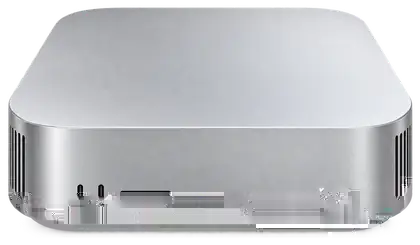
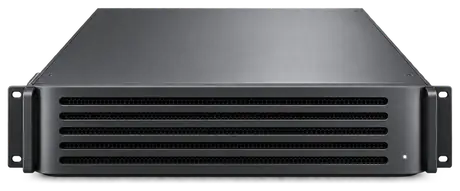
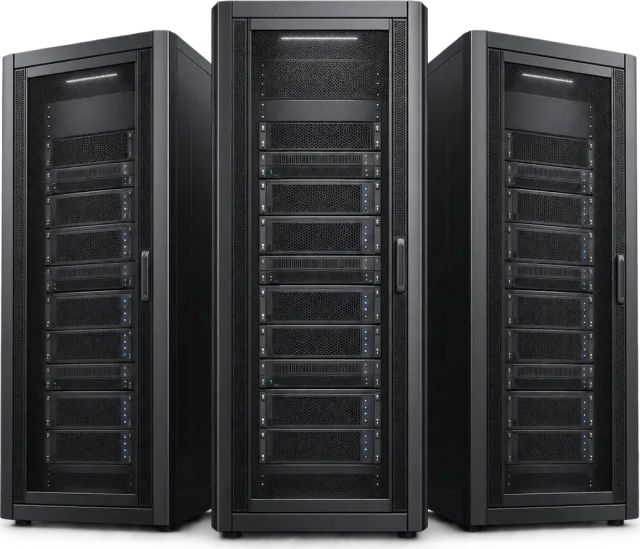
※Illustrative equipment; actual appearance and configuration may differ
- Small team or siteStart here

- Mid-sized organizationAsk us
- Large organization or research instituteAsk us
Pilot
Try one workflow
inside.
- 1Choose one workflow
- 2Agree on equipment and data boundary
- 3Try it inside, then expand